
Last updated on
Nov 4, 2026

Canada Form 100 2005-2026 free printable template
We are not affiliated with any brand or entity on this form

Fill out
Complete the form online in a simple drag-and-drop editor.

eSign
Add your legally binding signature or send the form for signing.

Share
Share the form via a link, letting anyone fill it out from any device.

Export
Download, print, email, or move the form to your cloud storage.
Why pdfFiller is the best tool for your documents and forms


End-to-end document management
From editing and signing to collaboration and tracking, pdfFiller has everything you need to get your documents done quickly and efficiently.
Accessible from anywhere
pdfFiller is fully cloud-based. This means you can edit, sign, and share documents from anywhere using your computer, smartphone, or tablet.
Secure and compliant
pdfFiller lets you securely manage documents following global laws like ESIGN, CCPA, and GDPR. It's also HIPAA and SOC 2 compliant.
What is Canada Form 100
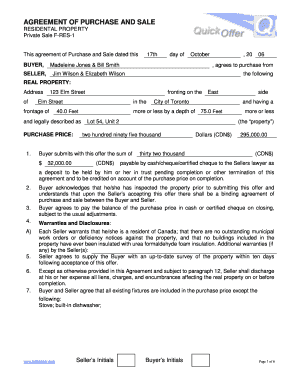
The Ontario Agreement of Purchase and Sale Form 100 is a legal document used by buyers and sellers in Ontario to formalize the terms of a real estate transaction.
pdfFiller scores top ratings on review platforms




Gets the job/writing/signatures done. Many functions and buttons.
Program easy to use and the support is easy to access with fast response!
Who needs Canada Form 100?
Explore how professionals across industries use pdfFiller.

Canada Form 100 is needed by:
-
Homebuyers looking to purchase property in Ontario
-
Property sellers in Ontario's real estate market
-
Real estate agents facilitating transactions in Ontario
-
Investors engaging in Ontario property acquisitions
-
Legal professionals assisting clients with real estate agreements
Comprehensive Guide to Canada Form 100
What is the Ontario Agreement of Purchase and Sale Form 100?
The Ontario Agreement of Purchase and Sale Form 100 is a crucial document in the realm of Ontario real estate transactions. This legal form defines the terms and conditions under which a buyer agrees to purchase a property from a seller. By outlining key details such as the purchase price, property specifics, and obligations of both parties, it plays an essential role in facilitating clear communication and understanding in real estate transactions. Furthermore, it adheres to legal requirements, making it enforceable in a court of law.
Purpose and Benefits of the Ontario Agreement of Purchase and Sale Form 100
This form serves several important functions within real estate transactions in Ontario. Firstly, it provides a clear outline of the terms, conditions, and obligations of buyers and sellers. This transparency helps protect both parties, minimizing the potential for disputes by ensuring that all agreed-upon terms are documented properly. Ultimately, the Ontario Agreement of Purchase and Sale Form 100 acts as a safeguard for both parties in a transaction.
Key Features of the Ontario Agreement of Purchase and Sale Form 100
When completing the Ontario Agreement of Purchase and Sale Form 100, several key features should be noted:
-
Detailed fields for entering buyer and seller information, including full names and contact details.
-
Specific sections for property details, including address and legal description.
-
Financial terms outlined, such as the agreed-upon purchase price and deposit amounts.
-
Significant sections articulate completion dates and conditions for irrevocability.
Who Needs the Ontario Agreement of Purchase and Sale Form 100?
The Ontario Agreement of Purchase and Sale Form 100 is essential for various stakeholders in residential real estate transactions. It is particularly relevant for:
-
Buyers and sellers engaged in property transactions within Ontario.
-
Real estate professionals, such as agents who facilitate property sales.
-
Investors looking to enter or exit the real estate market.
How to Fill Out the Ontario Agreement of Purchase and Sale Form 100 Online (Step-by-Step)
Filling out the Ontario Agreement of Purchase and Sale Form 100 online can be streamlined with a step-by-step approach. Here’s how to do it:
-
Access the form through an online platform like pdfFiller.
-
Begin entering buyer information in the designated fields.
-
Fill in the seller details and property specifics as required.
-
Enter the financial terms including the purchase price and deposit amount.
-
Review all information for accuracy before proceeding to sign.
-
Finalize the document by adding digital signatures and date.
Common Errors and How to Avoid Them
When completing the Ontario Agreement of Purchase and Sale Form 100, users may encounter several common errors. These include:
-
Incomplete fields; ensure all required information is filled out.
-
Miscalculations related to financial terms; double-check all numbers.
-
Signing without thoroughly understanding all terms; take time to read the document.
To minimize these pitfalls, it’s crucial to double-check all information and seek assistance if needed.
How to Sign the Ontario Agreement of Purchase and Sale Form 100
Understanding the signing process for the Ontario Agreement of Purchase and Sale Form 100 is vital. Buyers and sellers may opt for either wet signatures or digital signatures using eSigning options. It is important to note the legal implications associated with both types of signatures. When signing, look for designated signature lines and initials fields in the document.
Where to Submit the Ontario Agreement of Purchase and Sale Form 100
After completing the Ontario Agreement of Purchase and Sale Form 100, it’s important to know where to submit it. Submission methods generally include:
-
Online platforms, which may expedite processing times.
-
In-person submissions to relevant real estate offices or regulatory bodies.
-
Mailing the completed form to the appropriate address.
Always be aware of submission deadlines to ensure timely processing and consider any associated fees.
Security and Compliance for the Ontario Agreement of Purchase and Sale Form 100
Data security and compliance are paramount when handling the Ontario Agreement of Purchase and Sale Form 100. pdfFiller employs advanced security features, including 256-bit encryption, to protect sensitive information during form completion. Best practices also suggest being vigilant about privacy and ensuring that data handling aligns with legal requirements.
Empowering Your Real Estate Transactions with pdfFiller
For optimal efficiency in managing the Ontario Agreement of Purchase and Sale Form 100, utilizing pdfFiller can be highly beneficial. The platform offers key capabilities such as editable fields for customization, eSigning for convenience, and secure sharing options. Users will find that pdfFiller provides a user-friendly experience and safeguards data throughout the transaction process.
How to fill out the Canada Form 100
-
1.To access the Ontario Agreement of Purchase and Sale Form 100, visit pdfFiller's website and log in to your account, or create a new account if you do not have one.
-
2.Once logged in, use the search bar to type 'Ontario Agreement of Purchase and Sale Form 100' and select the form from the results to open it in the pdfFiller editor.
-
3.Before filling out the form, gather all necessary information such as buyer and seller details, property information, purchase price, deposit amounts, and any relevant terms or conditions related to the sale.
-
4.Navigate through the form by clicking on the fields you need to fill out. pdfFiller allows you to type directly into the fields or upload pre-filled documents for easier completion.
-
5.Ensure you fill in all mandatory fields, including buyer and seller names, property address, and financial details as specified in the provided instructions within the form.
-
6.Once you have completed all sections of the form, review the information carefully to avoid any errors. Double-check names, figures, and dates for accuracy.
-
7.To finalize the form, utilize pdfFiller's signature feature to add electronic signatures for both the buyer and seller, ensuring all relevant parties agree to the terms outlined.
-
8.After completing the form and obtaining signatures, you can save your work by clicking the 'Save' button. Choose your desired format, such as PDF, for downloading.
-
9.You may also opt to directly submit the completed form to involved parties via email from pdfFiller, or print it out for physical signatures and further handling.

Who is eligible to use the Ontario Agreement of Purchase and Sale Form 100?
This form is primarily for individuals or entities engaged in buying or selling real estate in Ontario. Both buyers and sellers must meet legal age requirements, typically 18 years or older.
Is there a deadline for submitting the Ontario Agreement of Purchase and Sale Form?
While there is no specific submission deadline for this form itself, it is crucial to ensure that the agreement is signed and submitted before any stated completion date in the contract.
How should I submit the Ontario Agreement of Purchase and Sale Form 100?
You can submit the completed form via email to involved parties, print it for physical signatures, or use a secure online real estate transaction platform if applicable.
What supporting documents are needed when using this form?
Common supporting documents include proof of identity for both parties, property title documents, and any disclosures or agreements related to the transaction. Consult with a legal professional for specifics.
What are some common mistakes to avoid when filling out this form?
Ensure that you do not skip any mandatory fields, double-check all financial details for accuracy, and confirm that signatures are included. Miscommunication over terms can lead to disputes.
Are there any fees associated with using the Ontario Agreement of Purchase and Sale Form?
Fees may vary based on additional services related to real estate transactions, such as legal fees or notary services, but the form itself does not have a usage fee.
What if I need to make changes after signing the agreement?
Changes to the agreement typically require consent from both parties and may necessitate a written amendment or addendum, depending on the terms initially agreed upon in the original form.
Related Content
Related Forms



Get the latest insights from our blog


If you believe that this page should be taken down, please follow our DMCA take down process
here
.
This form may include fields for payment information. Data entered in these fields is not covered by PCI DSS compliance.